Problem
A white cane only tells you about what it touches, usually at ground level and about a step ahead. A lot of smart cane attachments add beeps or vibrations to warn about obstacles, but you still have to figure out what every one of those signals means while you’re walking, and we thought all those alerts could burn a person out fast. With NavigAid, the cane steers itself away from obstacles, and you just follow it.
My role
We built NavigAid as a team of three in 24 hours at BeaverHacks 2026. I owned the hardware: I wrote all of the Arduino firmware in C++, wired the sensors and motors, and built the steering. My teammates built the computer vision and the decision logic on the Raspberry Pi, and I worked with them on how the Pi turns sensor readings into steering commands.
Late in the hackathon, the laser distance sensor and the tilt sensor still weren’t working, and my teammates wanted to cut them. The main issues were the pins, which didn’t fit our sensor shield, and the battery. I kept at it, and we got both working in time for the final cane.
Approach
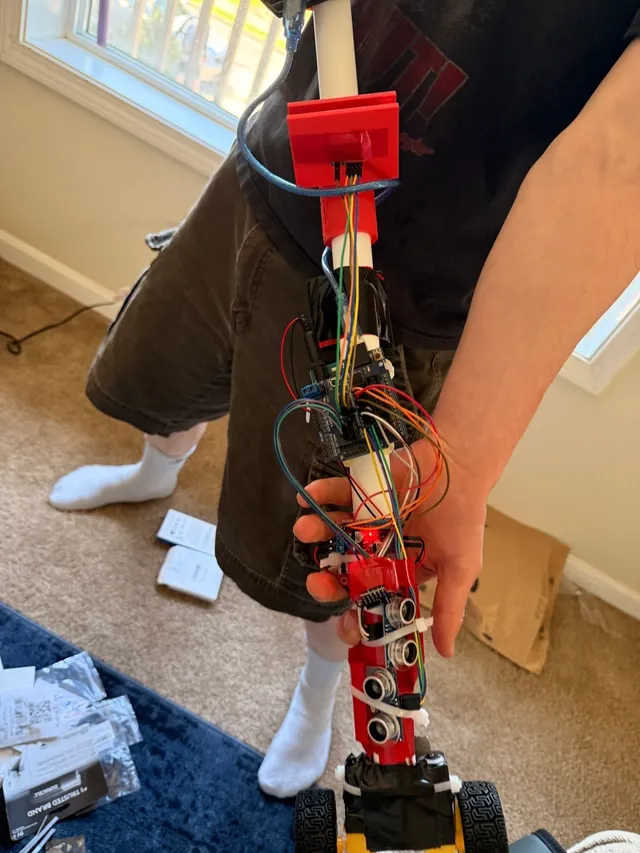
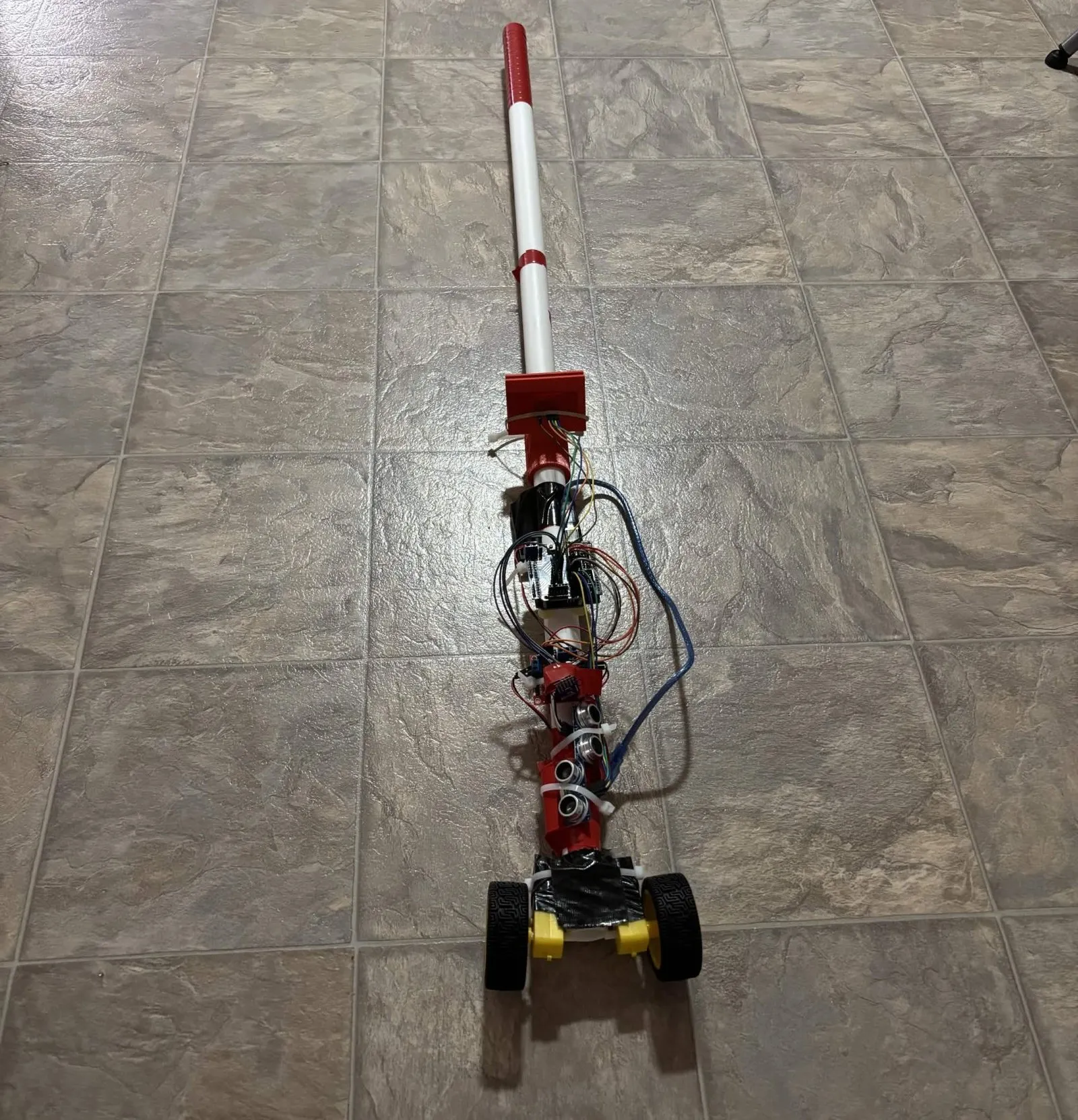
The cane is a PVC pipe with two small motors and wheels at the tip, plus a 3D-printed mount we made to hold a phone. Each wheel is driven separately, so the firmware turns the cane by spinning the wheels in opposite directions, which pulls your hand left or right. The first time we tested it, the cane turned the wrong way, so I flipped the motor directions in the firmware.
An Arduino Uno reads four sensors: two ultrasonic sensors facing left and right, a laser time-of-flight sensor facing forward, and an accelerometer that measures the cane’s tilt. It sends their readings to the Raspberry Pi about ten times a second, and drives the motors based on single-letter commands it gets back (forward, left, right, or stop).
The phone streams video to a laptop, which runs YOLOv8 to detect objects and MiDaS to estimate depth from a single camera image. The depth map tells the cane how far away things are, and it also shows drop-offs like downward stairs and curbs. The laptop sends what it finds to the Raspberry Pi over WiFi.
The Pi follows one safety rule: the physical sensors always override the camera. The tilt sensor works as fall detection, so the motors stop if the cane falls or isn’t held at a walking angle. The cane turns away from anything the ultrasonic sensors see within 80 cm, and picks the clearer side when the laser sees something within a meter. The camera only steers when the close-range sensors are clear, and if the WiFi drops, the cane keeps working on its physical sensors alone.
To test it, we tied shirts around our heads as blindfolds and walked around with it.
Result
We won 2nd place in the BeaverHacks 2026 hardware track, even though the live demo didn’t go as planned. The room was too crowded for the cane to find a clear path, and the venue WiFi was too unreliable for the laptop to keep sending camera data to the Pi. What won it for us was the idea and how the cane looked.
What I’d do differently
The biggest one is testing with blind and low-vision users. Blindfolding ourselves told us the steering worked, but sighted people in a blindfold don’t walk like experienced cane users, so we still don’t know if it would actually help the people it’s for.
On the build side, we flashed new code onto the boards for every fix, so each small change meant another slow upload and another round of testing on the cane. Running the decision logic on a laptop with recorded sensor readings first would have caught most bugs a lot faster. I’d also check that every part fits together before the event, since the pins not fitting the sensor shield ate time we needed for testing.
The camera should live on the cane too. Relying on a laptop and the venue WiFi is what took the camera out during the demo.